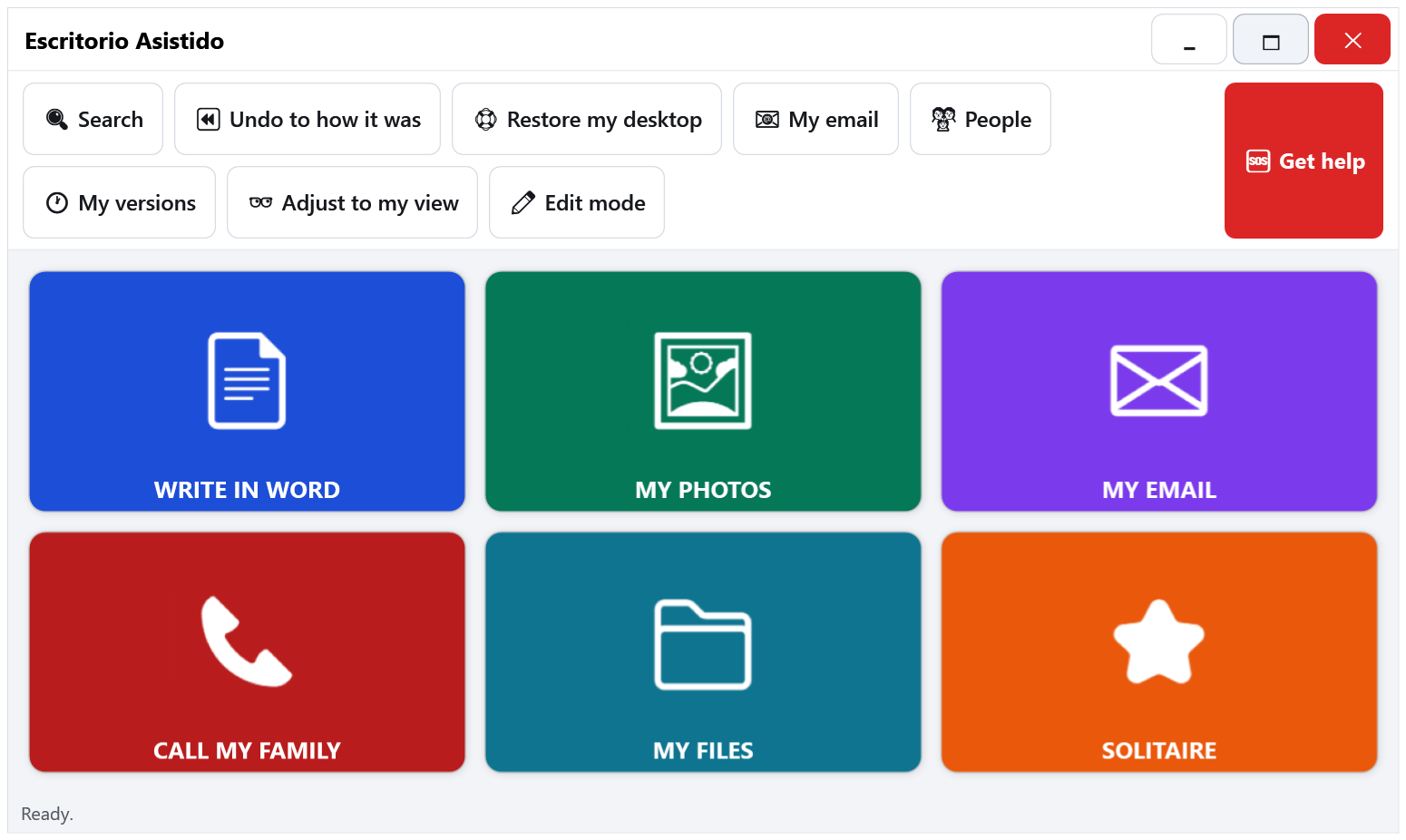
The name is Spanish for “assisted desktop”: a simplified, guided desktop for seniors and for anyone with vision, memory or motor difficulties.
Escritorio Asistido turns your mom or dad's everyday Windows PC into a clear, big-button screen: their programs, their files, easy email and one-touch video calls with the family. Everything stays where they left it. Nothing rearranges itself.
"Dad won't touch the computer anymore. He's afraid he'll 'break it'."What sons and daughters say in caregiver forums
"Technical support has often left this senior in tears. Online classes would only confuse her."AARP Community, 2024
"Mom was scammed by email. How do I prevent it without making her feel dumb?"AgingCare forum
"She lost the document again. Saved it 'somewhere' — and now she's calling me, 300 miles away."The every-Sunday phone call
It's almost never about their ability. It's that Windows is designed for young people in a hurry — small print, double clicks, and menus that keep moving around.
You set it up once. They use it every day.
On the Windows computer they already have and know. Ten minutes, in person or from afar. Nothing new to buy.
Word, their photos, email, the video call with the grandkids, their documents folder. Every button in the color and words they understand.
The screen never changes, nothing rearranges itself. And if something does move, the "undo to how it was" button fixes it in one click.
24-point-plus lettering, one single click for everything, and a voice that reads each button aloud. Designed for 70+ eyes and memory.
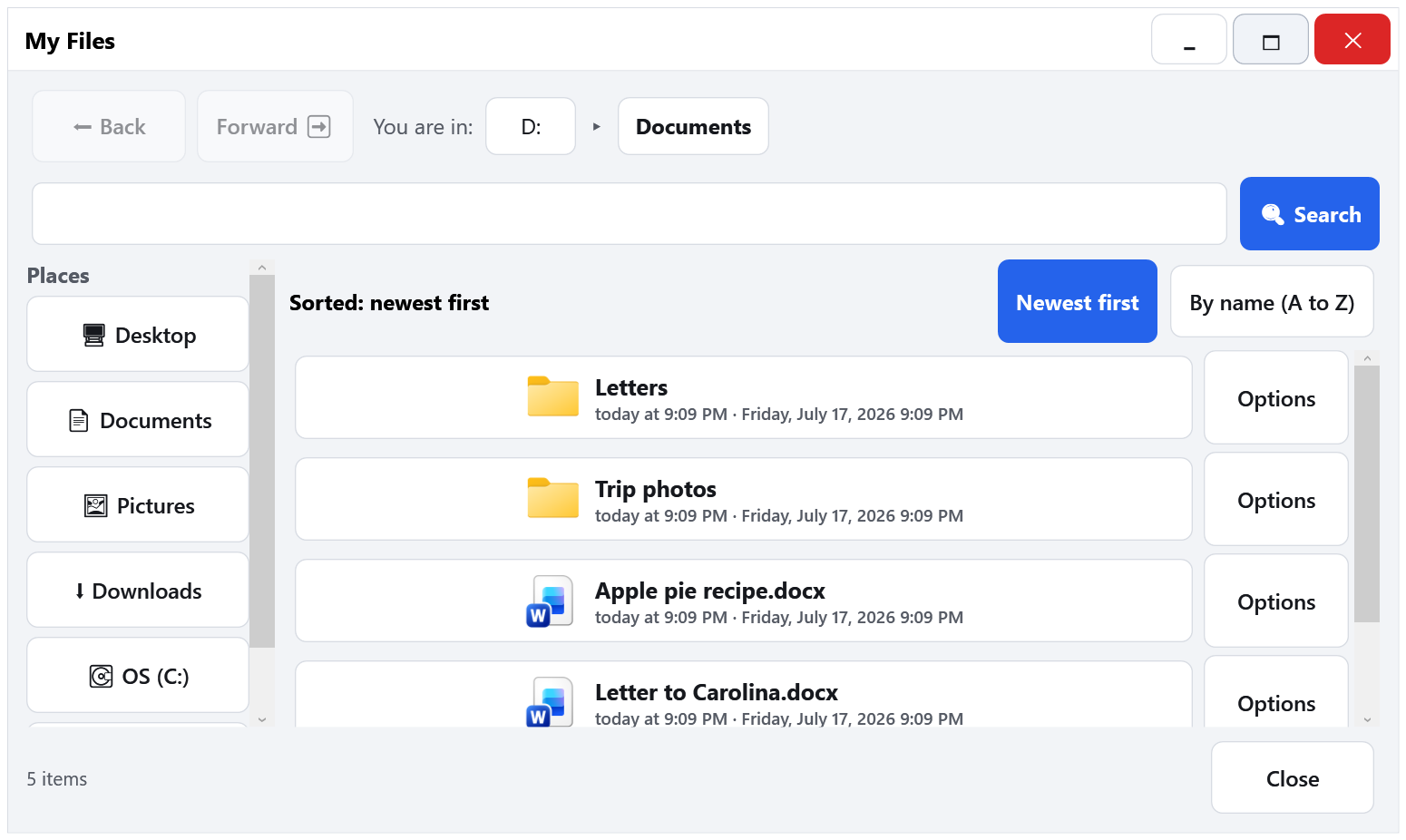
A built-in file window with big print, dates that make sense ("yesterday", "last Monday") and always-visible sorting. No more "where did I save it?".
Hotmail, Gmail or Yahoo set up with a step-by-step wizard. Reading and writing in large print, with no treacherous buttons.
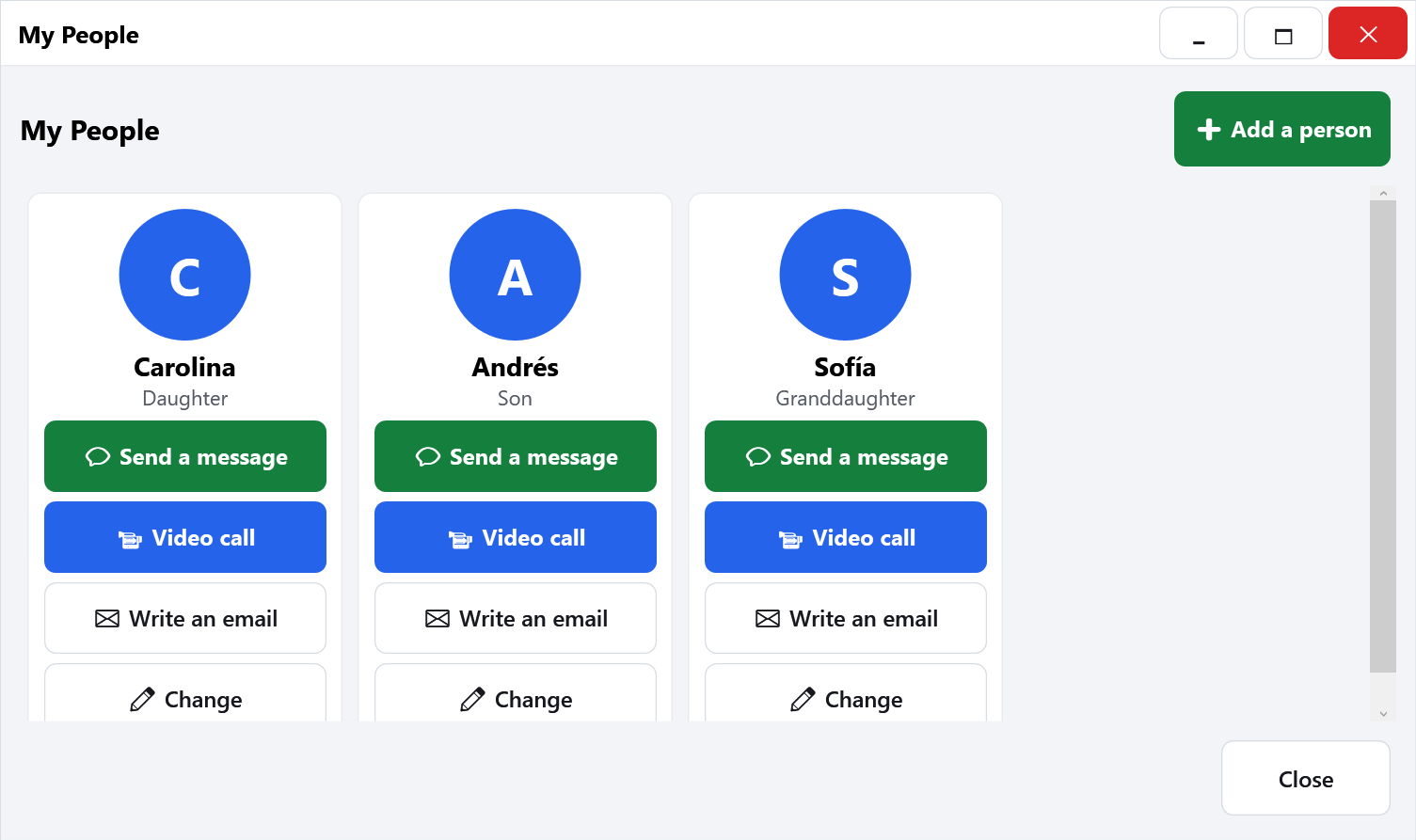
Video calls via WhatsApp or Jitsi with the contacts you define: the kids, the grandkids, the doctor. No one else.
Desktop got scrambled? Deleted something by accident? One button restores everything to how it was — including earlier versions of their documents.
A big red "get help" button that sends a notice to the trusted family member. You find out right away — not next Sunday.
Special computers for seniors do exist. They cost $1,000 or more, run unfamiliar systems and charge a monthly fee — and on some of them, if you stop paying, the machine stops working. Escritorio Asistido costs US$79, once.
| "Senior computers" | Escritorio Asistido | |
|---|---|---|
| New hardware | Yes — $1,000 and up | No — uses the PC they already own |
| Mandatory monthly fee | Yes — with lockout if you stop paying | No — one-time US$79 |
| Their usual programs | No — proprietary system, no real Word/Excel | Yes — real Windows underneath |
| Their current files and photos | Must be transferred over | Already there |
| Content privacy | Depends on their cloud | 100% local |
| Learning curve | A whole new device to learn | Their computer, made clear |
"How do I help her… without making her feel dumb?" — That's the whole point. Nobody feels dumb here.
Yes. Escritorio Asistido installs on top of Windows 10 or 11, on the PC or laptop your family member already uses. Nothing to buy, no files to transfer: their documents and photos stay exactly where they were — just easy to find now.
No. Installation is a step-by-step wizard that takes about 10 minutes. And you (the helper) get a PIN-protected setup mode to adjust buttons, contacts and email whenever needed.
It's a one-time payment of US$79 per computer. No subscriptions, no hidden charges — and the computer never "locks up" for not paying. The first people on the waitlist get in early at the US$49 pre-launch price.
All content — documents, photos, email, contacts — stays on their computer. The app uploads nothing to any cloud and shares nothing with anyone. The only outgoing connections are the ones you choose: their email account and video calls with their contacts.
That's what the "undo to how it was" button is for: it restores the desktop, the buttons, and even earlier versions of their documents. And the help button notifies you the moment your family member needs you.
English and Spanish today, including the voice that reads the buttons. It's built to add more languages.
It's designed precisely for vision and memory difficulties: 24-point-plus fonts, buttons nearly twice the standard size, zero double-clicking, spoken feedback, and a screen that never reorders itself — because spatial memory is sacred. It doesn't replace human companionship, but it makes it a lot easier.
US$79 US$49 one-time payment per computer
Pre-launch price, exclusive to the waitlist. No monthly fees, no hidden charges.